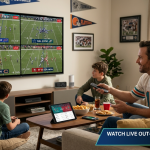


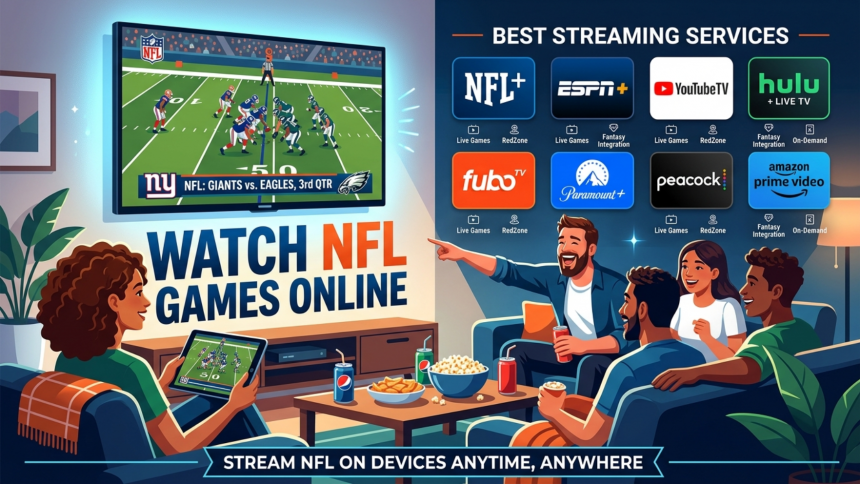
Watching NFL games online is now easier than ever, but for cord-cutters, finding the right streaming service can be overwhelming. The problem many face is navigating through numerous options, each with its own set of channels, pricing, and features. However, with the right guidance, you can easily find a service that meets your NFL viewing needs without breaking the bank. In this article, we will break down the best NFL streaming services, how to watch local games for free, and what you need to get started.
What You Need to Stream NFL Games Without Cable
To stream NFL games without cable, you need three essential things: a fast and reliable internet connection, a compatible streaming device, and a subscription to a streaming service that carries NFL games. Your internet speed is crucial because it determines the quality of your stream – a slow connection can lead to buffering and poor video quality. A streaming device, such as a smart TV, Roku, or Amazon Firestick, is necessary to access streaming apps on your television. Lastly, you need to choose a streaming service that includes the NFL channels you want to watch, such as ESPN, FOX, CBS, and NBC.
Internet speed requirements are often overlooked but are vital for a smooth viewing experience. For HD streaming, you need a minimum internet speed of 15 Mbps, while 4K streaming requires 25 Mbps or more. A wired ethernet connection is always better than Wi-Fi for game day because it provides a more stable and faster connection. If you’re using Wi-Fi, make sure you’re close to your router and that there are no obstructions between your device and the router. Additionally, consider upgrading your internet plan if you have multiple devices connected to the same network.
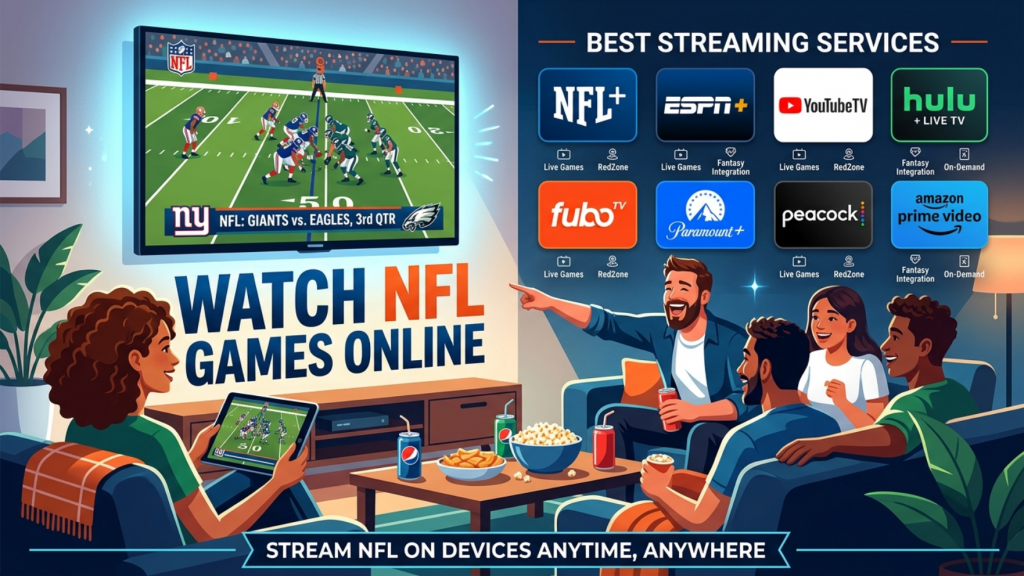
When it comes to streaming devices, you have plenty of options to choose from, including smart TVs, Roku, Amazon Firestick, Apple TV, gaming consoles, and mobile phones. Each device has its own set of features, such as voice control, 4K support, and app selection. When choosing a streaming device, consider the types of apps you want to access, the resolution you need, and the devices you already own. For example, if you have an iPhone, an Apple TV might be a good choice because it integrates seamlessly with your phone. On the other hand, if you’re looking for an affordable option with a wide app selection, a Roku or Amazon Firestick might be the way to go.
Best Streaming Services to Watch NFL Games Live
There are several live TV streaming apps that carry NFL games, including YouTube TV, FuboTV, Hulu + Live TV, Sling TV, and DirecTV Stream. These services differ from on-demand services like Netflix because they offer live channels, including sports, news, and entertainment. YouTube TV and FuboTV are two popular options for NFL fans, offering a wide range of channels, including ESPN, FOX, CBS, and NBC. They also include cloud DVR features, allowing you to record games and watch them later. YouTube TV is a great option for fans who want a simple, easy-to-use interface and a wide channel selection, while FuboTV is geared towards sports fans, with a focus on NFL, MLB, and NHL games.

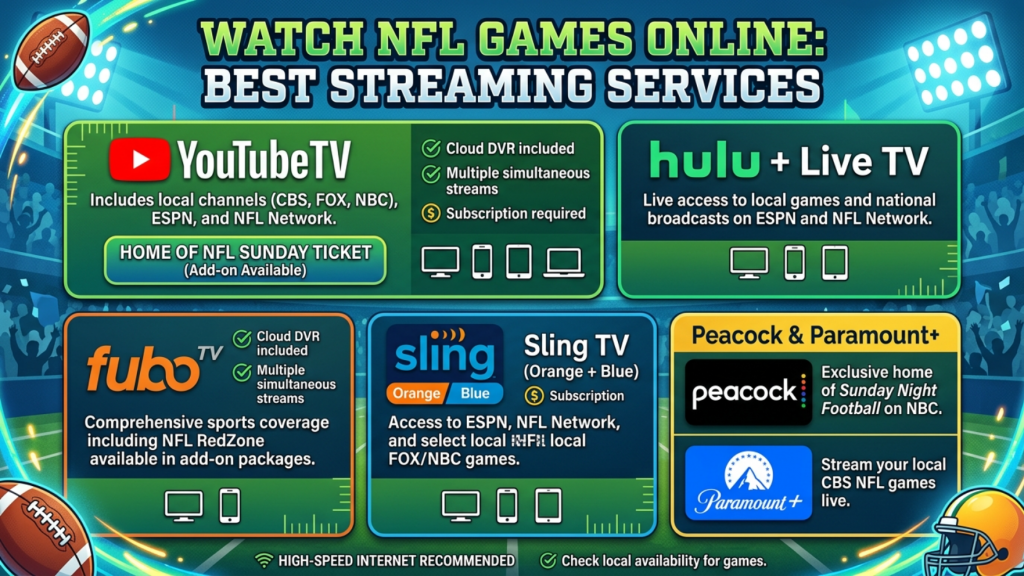
YouTube TV and FuboTV are both great options for NFL fans, but they have some key differences. YouTube TV starts at approximately $65/month and includes a wide range of channels, including ESPN, FOX, CBS, and NBC. FuboTV, on the other hand, starts at approximately $70/month and offers a more comprehensive sports package, with channels like NFL Network, MLB Network, and NHL Network. Both services offer cloud DVR features, allowing you to record games and watch them later. YouTube TV is a good choice for casual fans who want a simple, easy-to-use interface, while FuboTV is better suited for die-hard sports fans who want access to a wide range of sports channels.
Sling TV and Hulu + Live TV are two other popular live TV streaming apps that carry NFL games. Sling TV starts at approximately $35/month and offers a more affordable option for fans who only want to watch a few channels. Hulu + Live TV starts at approximately $65/month and includes a wide range of channels, including ESPN, FOX, CBS, and NBC. Both services have their limitations, such as limited cloud DVR storage and fewer channels than YouTube TV or FuboTV. However, they are good options for fans who want to save money or only need access to a few channels.
NFL+ and platform-specific apps like Peacock and Amazon Prime Video are also great options for NFL fans. NFL+ starts at approximately $5/month and offers live out-of-market games, as well as exclusive content like NFL Network and NFL RedZone. Peacock and Amazon Prime Video offer a range of sports content, including NFL games, for approximately $5/month and $15/month, respectively. These services are great for fans who only want to watch a few games or want access to exclusive content. However, they often require a base subscription to the platform, and the selection of games may be limited compared to live TV streaming apps.
How to Watch Local NFL Games for Free
Watching local NFL games for free is easier than you think. CBS, FOX, NBC, and ABC broadcast local NFL games over the air, which means you can watch them for free with a digital antenna. A digital antenna can receive these signals in HD, providing a high-quality picture without any monthly fees. This is a great option for fans who only want to watch their local team or don’t want to pay for a streaming service. Additionally, many streaming apps, such as YouTube TV, FuboTV, and Hulu + Live TV, also include local channel streams in their packages, so you can watch local games even if you don’t have an antenna.
Choosing and setting up a digital antenna is relatively easy. You can choose between an indoor or outdoor antenna, depending on your location and the strength of the signals in your area. Indoor antennas are more convenient and easier to install, but they may not receive signals as well as outdoor antennas. When choosing an antenna, consider the signal range and the number of channels you want to receive. You can also check the antenna’s reviews and ratings to ensure it’s a good quality product. Once you’ve chosen your antenna, simply connect it to your TV, run a channel scan, and you’re ready to start watching local NFL games for free.
While a digital antenna is a great way to watch local NFL games for free, it’s not the only option. Many streaming apps, such as YouTube TV, FuboTV, and Hulu + Live TV, also include local channel streams in their packages. This means you can watch local games even if you don’t have an antenna, as long as you have a subscription to one of these services. These services often include a wide range of channels, including ESPN, FOX, CBS, and NBC, so you can watch both local and national NFL games. Additionally, some services, such as Sling TV and DirecTV Stream, also offer local channel streams, although the availability may vary depending on your location.
How to Watch Out-of-Market NFL Games Live
For fans living outside their team’s local broadcast area, watching their favorite team’s games can be a challenge. This is where the concept of out-of-market games comes into play. Out-of-market games refer to games that are not broadcast in a fan’s local area, making it difficult for them to watch their team play. The primary solution for watching out-of-market NFL games live is the NFL Sunday Ticket, a subscription-based service that allows fans to watch every out-of-market Sunday afternoon game. The NFL Sunday Ticket is available through various providers, including DirecTV, and it offers a range of channels that broadcast NFL games, including FOX and CBS. However, it’s essential to note that the NFL Sunday Ticket is not available to all fans, as it is typically only offered to those who cannot receive DirecTV’s satellite service, such as apartment dwellers or those living in areas with obstructions. Additionally, the NFL Sunday Ticket is a costly option, with prices ranging from $293 to $395 per season, depending on the package and provider.
Another option for watching out-of-market NFL games live is the NFL+, a streaming service that provides live out-of-market games on mobile and tablet devices. The NFL+ Premium subscription costs around $8 per month and offers live out-of-market games, as well as access to NFL Network and NFL RedZone. However, it’s essential to note that the NFL+ has some limitations, such as only being available on mobile and tablet devices, and not offering live DVR capabilities. Additionally, the NFL+ does not provide access to all out-of-market games, as some games may be blacked out due to local broadcast restrictions. Despite these limitations, the NFL+ is a more affordable option than the NFL Sunday Ticket, making it an attractive choice for fans who want to watch out-of-market games on the go. Furthermore, the NFL+ also offers a range of other features, including live audio broadcasts, game highlights, and analysis, making it a valuable resource for NFL fans. The NFL+ is available on a variety of devices, including smartphones, tablets, and smart TVs, and it can be accessed through the NFL app or website.

NFL blackout rules can also impact a fan’s ability to watch out-of-market games. Blackout rules are in place to protect the local broadcast rights of NFL games, and they can result in games being blacked out on certain platforms, even if a fan is subscribed to a service that normally carries the game. For example, if a game is not sold out, it may be blacked out on local television, and it may also be blacked out on streaming services, such as the NFL+. However, there are ways for fans to work around blackout restrictions. One option is to use a VPN, or virtual private network, which can mask a fan’s IP address and make it appear as though they are accessing the game from a different location. Another option is to use a streaming service that offers a feature called “VPN bypass,” which allows fans to access blacked-out games by routing their internet connection through a server in a different location. Additionally, some streaming services, such as the NFL Sunday Ticket, offer a feature called “short-term blackout exceptions,” which allow fans to watch blacked-out games for a short period, usually 24 hours. It’s essential to note that blackout rules can vary depending on the game, the team, and the location, so fans should always check the NFL’s website or their streaming service provider for information on blackout restrictions.
NFL Live Streaming Comparison: Which Service Is Right for You?
With so many NFL live streaming services available, it can be challenging to determine which one is right for you. The right service depends on several factors, including whether you are a local or out-of-market fan, your budget, and your device preferences. For example, if you are a local fan, you may be able to get by with a streaming service that only offers local channels, such as Sling TV or YouTube TV. However, if you are an out-of-market fan, you may need a service that offers out-of-market games, such as the NFL Sunday Ticket or NFL+. Additionally, if you are on a budget, you may want to consider a service that offers a lower monthly fee, such as Sling TV or NFL+. On the other hand, if you are willing to pay more for a premium service, you may want to consider a service like YouTube TV or Hulu + Live TV, which offer a range of channels and features. The following comparison table provides a detailed breakdown of the different NFL live streaming services available, including their starting prices, the NFL games they include, and their features. By considering these factors and reviewing the comparison table, you can make an informed decision about which NFL live streaming service is right for you. Furthermore, it’s essential to note that the prices and features of these services are subject to change, so it’s always a good idea to check the official website of the service provider for the most up-to-date information.
| Service | Starting Price/Month | NFL Games Included | Free Trial | DVR Storage | Best For |
|---|---|---|---|---|---|
| YouTube TV | ~$73 | CBS, FOX, NBC, ESPN, NFL Network | No (check site) | Unlimited | All-in-one cord-cutters |
| FuboTV | ~$80 | CBS, FOX, NBC, ESPN, NFL Network | 7 days | 1000 hours | Sports-first households |
| Hulu + Live TV | ~$83 | CBS, FOX, NBC, ESPN, ABC | No (check site) | Unlimited | Families wanting on-demand too |
| Sling TV Blue | ~$45 | FOX, NBC, ESPN, NFL Network | No (check site) | 50 hours | Budget cord-cutters |
| DirecTV Stream | ~$80 | CBS, FOX, NBC, ESPN, NFL Network | 5 days | Unlimited | Fans wanting cable-like experience |
| NFL+ | ~$8 | Local/primetime mobile only | 7 days | No live DVR | Mobile-first fans on a budget |
The comparison table above provides a detailed breakdown of the different NFL live streaming services available. As can be seen, the prices of these services vary significantly, ranging from around $8 per month for the NFL+ to over $80 per month for services like FuboTV and DirecTV Stream. The NFL games included in each service also vary, with some services offering a wider range of channels and games than others. For example, YouTube TV and FuboTV offer a range of channels, including CBS, FOX, NBC, ESPN, and NFL Network, making them good options for fans who want to watch a variety of NFL games. On the other hand, Sling TV Blue is a more budget-friendly option that offers a limited range of channels, including FOX, NBC, ESPN, and NFL Network. It’s essential to note that the prices and features of these services are subject to change, so it’s always a good idea to check the official website of the service provider for the most up-to-date information. Additionally, some services may offer promotions or discounts for new customers, so it’s worth checking for those as well. By considering these factors and reviewing the comparison table, you can make an informed decision about which NFL live streaming service is right for you.
Tips to Get the Best NFL Live Stream Quality
To get the best NFL live stream quality, it’s essential to have a fast and reliable internet connection. The minimum internet speed required for streaming NFL games in HD is 15 Mbps, while 25 Mbps or higher is recommended for 4K streaming. To check your internet speed, you can use an online speed test tool, such as Speedtest.net. If your internet speed is lower than the recommended speed, you may experience buffering or poor video quality. In this case, you can try upgrading your internet plan or using a Wi-Fi range extender to improve your connection. Additionally, it’s essential to ensure that your streaming device is connected to your router using a wired Ethernet connection, as this will provide a more stable and reliable connection than Wi-Fi. You can also try closing other apps or programs that may be using up bandwidth, as this can help to improve your streaming quality. Furthermore, it’s a good idea to restart your router and streaming device before the game to ensure that they are both functioning properly. By following these tips, you can help to ensure that you get the best possible NFL live stream quality and enjoy a smooth and uninterrupted viewing experience.
In addition to having a fast and reliable internet connection, the placement of your router can also impact your NFL live stream quality. It’s essential to place your router in a central location in your home, away from walls and other obstacles that can interfere with the signal. You should also try to keep your router away from other devices that may be causing interference, such as cordless phones or microwaves. Using a 5GHz Wi-Fi band can also help to improve your streaming quality, as this band is less prone to interference than the 2.4GHz band. Additionally, you can try using a Wi-Fi range extender to extend the range of your Wi-Fi network and improve your connection. It’s also a good idea to update your router’s firmware regularly, as this can help to improve its performance and reliability. By following these tips, you can help to ensure that you get the best possible NFL live stream quality and enjoy a smooth and uninterrupted viewing experience. Moreover, you can also consider using a streaming device that is optimized for NFL live streaming, such as a device with a built-in Ethernet port or a device that supports 4K streaming.
App-level tips can also help to improve your NFL live stream quality. One tip is to clear the cache and data of your streaming app before the game, as this can help to improve its performance and prevent buffering. You should also try to close other apps or programs that may be running in the background, as these can use up system resources and impact your streaming quality. Lowering the video quality one step can also help to improve your streaming quality, especially if you are experiencing buffering or poor video quality. Additionally, you can try restarting your streaming device or app before the game, as this can help to ensure that it is functioning properly. It’s also a good idea to check for updates to your streaming app regularly, as these can help to improve its performance and fix any issues that may be affecting your streaming quality. By following these tips, you can help to ensure that you get the best possible NFL live stream quality and enjoy a smooth and uninterrupted viewing experience. Furthermore, you can also consider using a streaming app that offers features such as live DVR, pause, and rewind, as these can help to enhance your viewing experience and make it more convenient to watch NFL games live.
Frequently Asked Questions
Can I watch NFL games live without a cable subscription?
Yes, you can watch NFL games live without a cable subscription. There are several options available, including live TV streaming services such as Sling TV, YouTube TV, and Hulu + Live TV, which offer a range of channels that broadcast NFL games. You can also use a digital antenna to watch local NFL games for free, as long as you have a TV with a digital tuner. Additionally, the NFL+ streaming service offers live out-of-market games on mobile and tablet devices, making it a great option for fans who want to watch NFL games on the go. Furthermore, some streaming services, such as FuboTV and DirecTV Stream, offer a range of channels that broadcast NFL games, including CBS, FOX, NBC, ESPN, and NFL Network. It’s essential to note that the availability of these services and channels may vary depending on your location, so it’s always a good idea to check the service provider’s website for more information. By using one or a combination of these options, you can watch NFL games live without a cable subscription and enjoy a flexible and convenient viewing experience.
What is the cheapest legal way to stream NFL games live?
The cheapest legal way to stream NFL games live is to use a combination of a digital antenna and the NFL+ streaming service. A digital antenna can be purchased for a one-time fee of around $20-$50, and it allows you to watch local NFL games for free. The NFL+ streaming service costs around $8 per month, and it offers live out-of-market games on mobile and tablet devices. By using a digital antenna to watch local games and the NFL+ to watch out-of-market games, you can stream NFL games live for a total cost of around $8 per month, plus the one-time fee for the digital antenna. This is significantly cheaper than the cost of a cable subscription or other live TV streaming services, making it a great option for fans who want to watch NFL games live without breaking the bank. Additionally, the NFL+ also offers a range of other features, including live audio broadcasts, game highlights, and analysis, making it a valuable resource for NFL fans. It’s essential to note that the availability of the NFL+ and digital antennas may vary depending on your location, so it’s always a good idea to check the service provider’s website for more information.
Do I need NFL Sunday Ticket to watch every game?
No, you don’t need NFL Sunday Ticket to watch every game. While NFL Sunday Ticket is a great option for fans who want to watch every out-of-market Sunday afternoon game, it’s not necessary to have it to watch every NFL game. You can watch local games using a digital antenna, and you can also use live TV streaming services such as Sling TV, YouTube TV, and Hulu + Live TV to watch a range of channels that broadcast NFL games, including CBS, FOX, NBC, ESPN, and NFL Network. Additionally, the NFL+ streaming service offers live out-of-market games on mobile and tablet devices, making it a great option for fans who want to watch NFL games on the go. However, if you want to watch every out-of-market Sunday afternoon game, NFL Sunday Ticket is the best option. It’s essential to note that NFL Sunday Ticket is a costly option, with prices ranging from $293 to $395 per season, depending on the package and provider. By considering your viewing habits and budget, you can choose the option that best fits your needs and enjoy watching NFL games live without breaking the bank. Furthermore, it’s also worth noting that some games may be blacked out on certain platforms due to local broadcast restrictions, so it’s always a good idea to check the service provider’s website for more information on blackout restrictions and how to work around them.
Editorial Disclaimer: tnffootball.com publishes this guide for informational purposes only. We reference only verified, legally authorized NFL broadcast partners. Streaming availability, pricing, and features are subject to change — always confirm current details on each platform’s official website. Not affiliated with the NFL or any streaming service. Last reviewed: 2026 NFL Season.